Projects can be restricted by ticking this box on the Owners tab of a project:
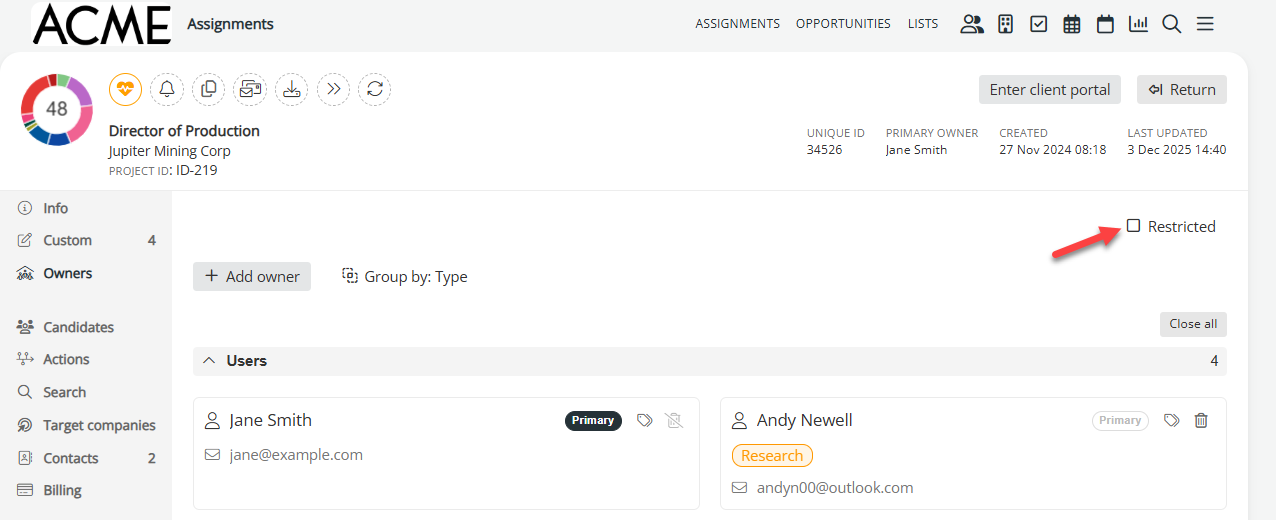
Administrators can control exactly who can see assignments, but the default settings are as follows:
- Administrators can always see everything.
- Researchers can see all assignments that are not marked as restricted. If an assignment is marked restricted (as shown above), the individual will only see it if they are named on the project as an owner or if they are in an office group that is named on the project.
- External users can only see assignments (regardless of if it being restricted or not) if they have been named on the assignment or if they are in an office group that has been named on an assignment.
However, candidate records are not restricted – everyone can see them. If you add a note to a candidate relating to a restricted project, the note will be visible to anyone who accesses the profile by another means (centralised search, for example). If a note needs to be restricted, you should add it to the restricted project instead, and add a context of the person it relates to.
Was this article helpful?
That’s Great!
Thank you for your feedback
Sorry! We couldn't be helpful
Thank you for your feedback
Feedback sent
We appreciate your effort and will try to fix the article