You can set up number ranges in the Settings, Global page. Scroll down the page to this section:
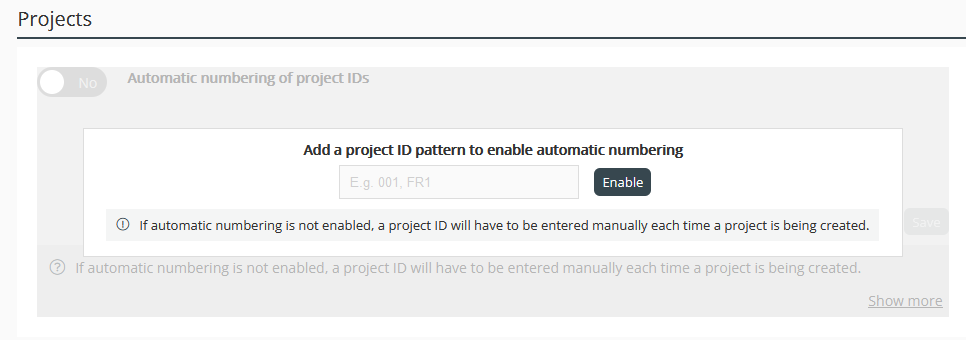
If you already have project IDs set up with a similar (manually entered or sequential) range, then the starting value you define in the Global page for it must be at least 1 higher than the highest value you have for it. Archived projects are included in this check. Once set up with a range, Project IDs become mandatory on new assignments and opportunities.
Here are some examples:
- Basic number range - 0001
- Alphanumeric range - XY001
- Multiple ranges (these all increment separately as they are used) -
MS001
IBM-001
FACEBOOK-123
Whilst you can’t have a number range that picks up a client name directly, you can create any number of ranges, which you can then pick from a list when saving an assignment for the first time.
Here are some key benefits of using automatic Project ID's:
Improved Tracking: Project IDs allow for precise tracking of all projects, making it easier to monitor progress and manage resources.
Enhanced Organisation: They help in categorising and organising projects systematically, reducing confusion and improving efficiency.
Consistency: Using standardised IDs ensures consistency across all documentation and communication, which is crucial for maintaining clarity.
Simplified Reporting: Project IDs streamline the reporting process, making it easier to generate accurate and comprehensive reports.
Better Collaboration: Clear identification of projects facilitates better collaboration among team members and departments.
Was this article helpful?
That’s Great!
Thank you for your feedback
Sorry! We couldn't be helpful
Thank you for your feedback
Feedback sent
We appreciate your effort and will try to fix the article