- Open Default apps from the windows button.
- Under the 'Set details for application' search bar, type Mail and select the 'Mail' option underneath.
- On the next page, you need to set all the options (1) to outlook using the icon on the right (2).
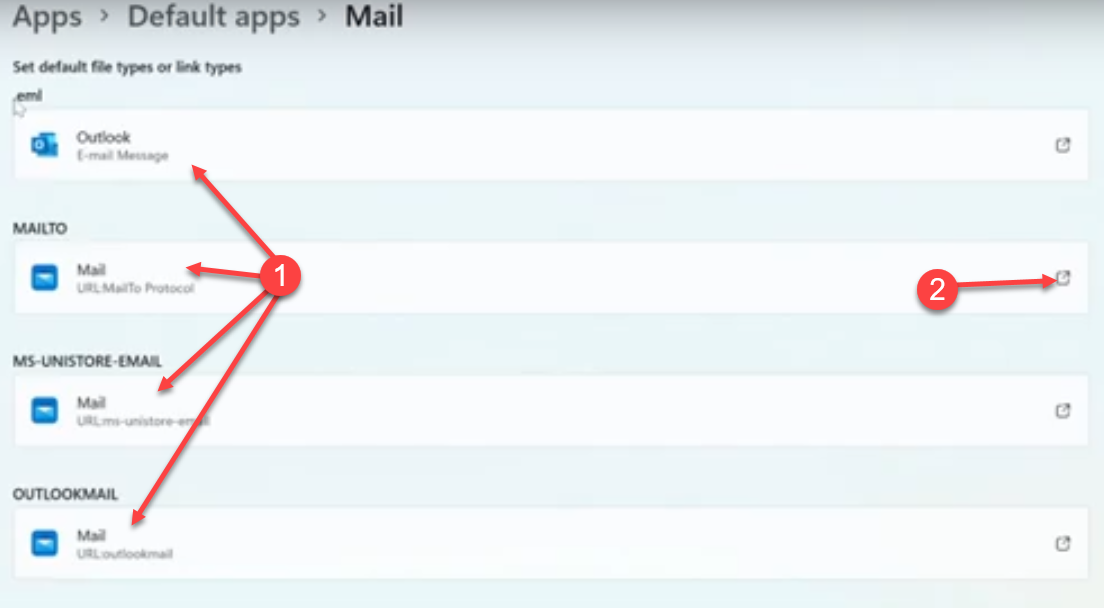
From now on, Outlook will be the default when you next click an email link.
Was this article helpful?
That’s Great!
Thank you for your feedback
Sorry! We couldn't be helpful
Thank you for your feedback
Feedback sent
We appreciate your effort and will try to fix the article