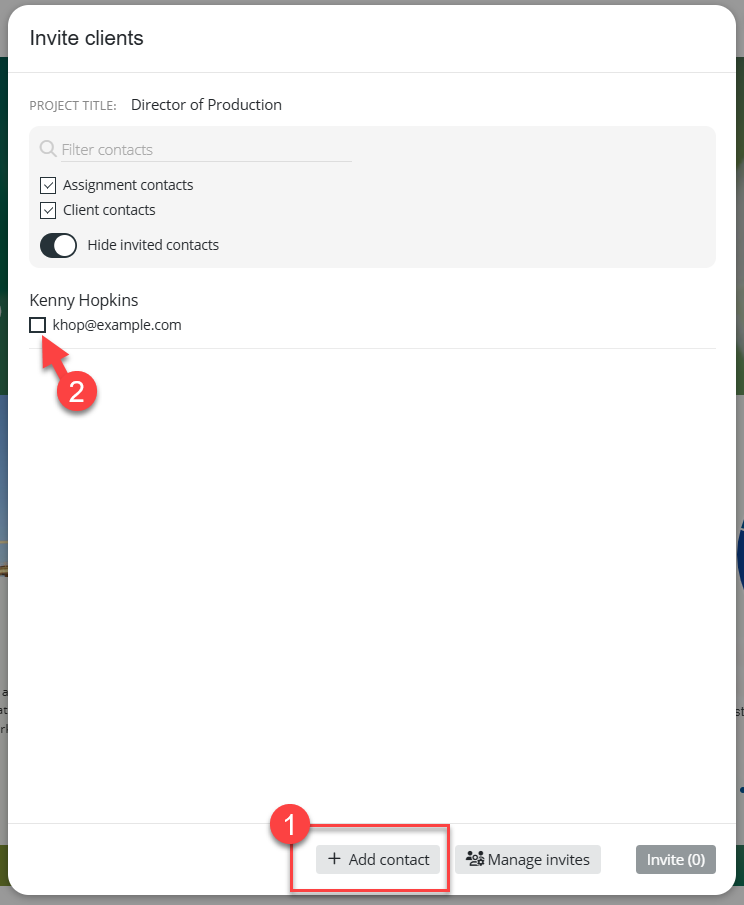
If the client does not already exist in Ezekia, you can create a new contact and invite them to the Client Portal using Add contact (1). If the client already exists in Ezekia, or has previously been invited to another assignment, simply select them from the list (2):
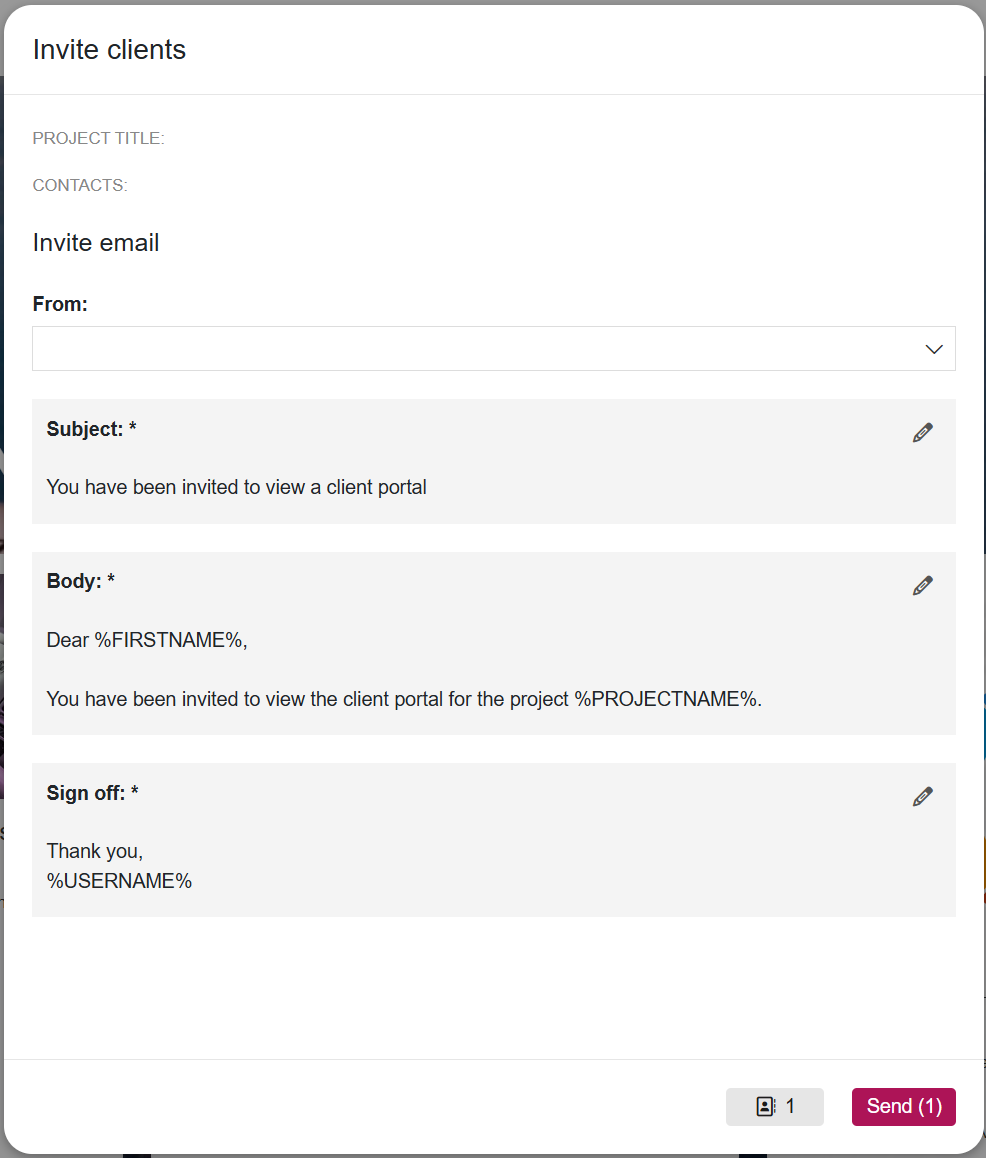
Once selected, you will have the opportunity to review and amend the invitation message before sending it to the client:
Viewing Multiple Assignments
A client only requires one login to access assignments within your firm's Client Portal, even if they have been invited to multiple assignments.
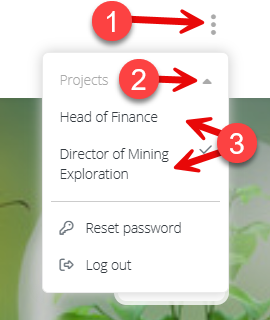
After logging in, they can switch between available assignments by:
- Clicking the three-dot menu in the top-right corner (1)
- Selecting the Projects icon (2)
- Choosing the assignment they wish to view (3)
The client will then be taken directly to the selected assignment.
Clients Using Multiple Firms' Portals
The process above applies when a client has access to multiple assignments within your firm's Client Portal.
If the client has also been invited to Client Portals provided by other firms using Ezekia, a different login process may be required to ensure they are directed to the correct portal.
For more information, please see: Client Portal Login Issues for Clients Using Multiple Ezekia Portals.
Was this article helpful?
That’s Great!
Thank you for your feedback
Sorry! We couldn't be helpful
Thank you for your feedback
Feedback sent
We appreciate your effort and will try to fix the article