
Summary
Admins can now hide unused sections of a screen for all users. This helps keep screens clean and focused, showing only the features your team actually uses.
This is a global setting that applies to everyone in your firm. It’s separate from user permissions, which control access for specific users.
Changing Visibility
As an Admin, navigate to the settings page via the three-line icon. Click the Visibility tab on the left. The Visibility screen has three tabs: Projects, People and Companies(1). Projects are further split into Assignments, Opportunities and Lists (2).
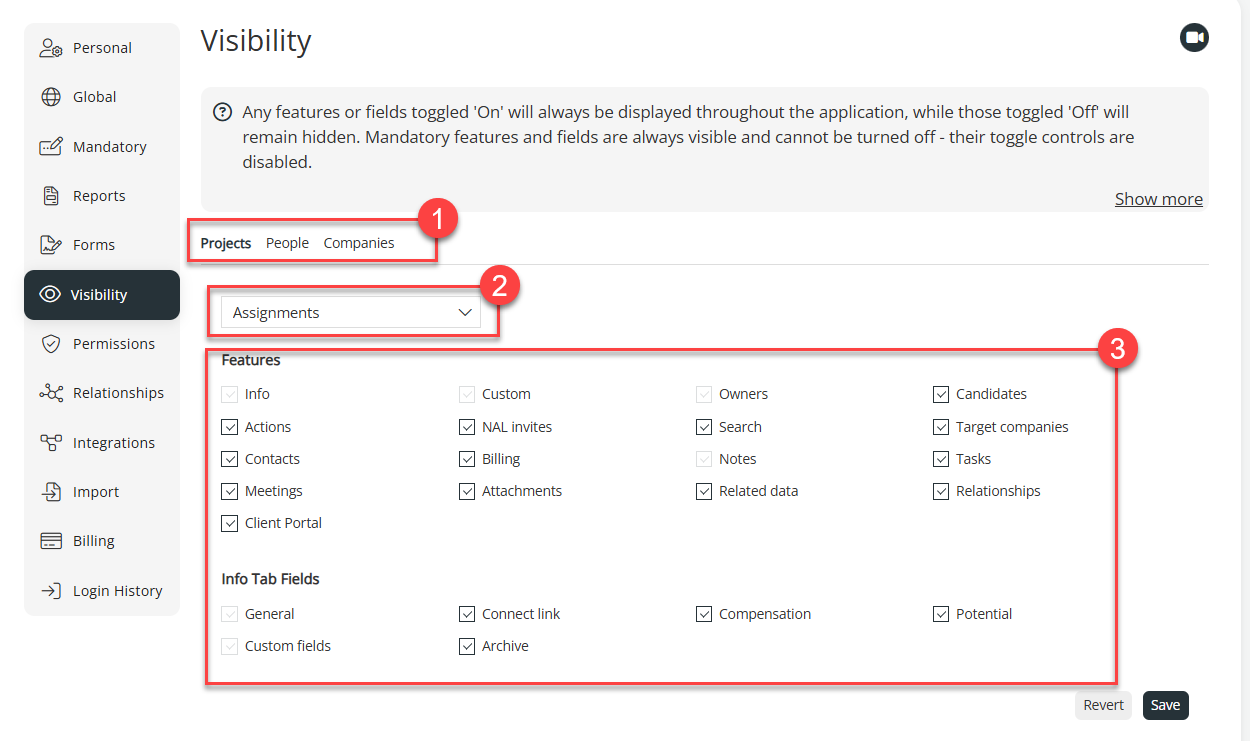 Any sections your firm does not use can be hidden by unticking the relevant box in the Features section (3). After saving, the changes will apply to every user's next visit to the screen.