
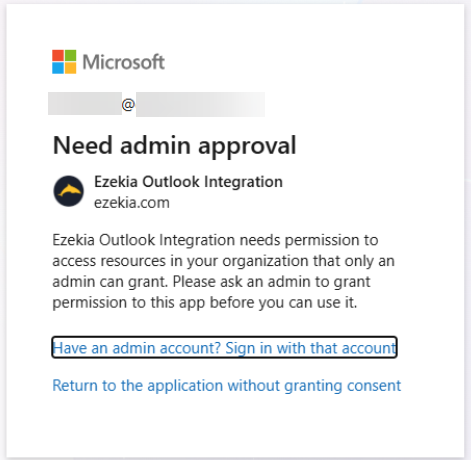
Depending on the settings on your Outlook Exchange system, you might need to grant Ezekia access to your Exchange administrator if you see a message like this in Outlook:
MS Azure Users
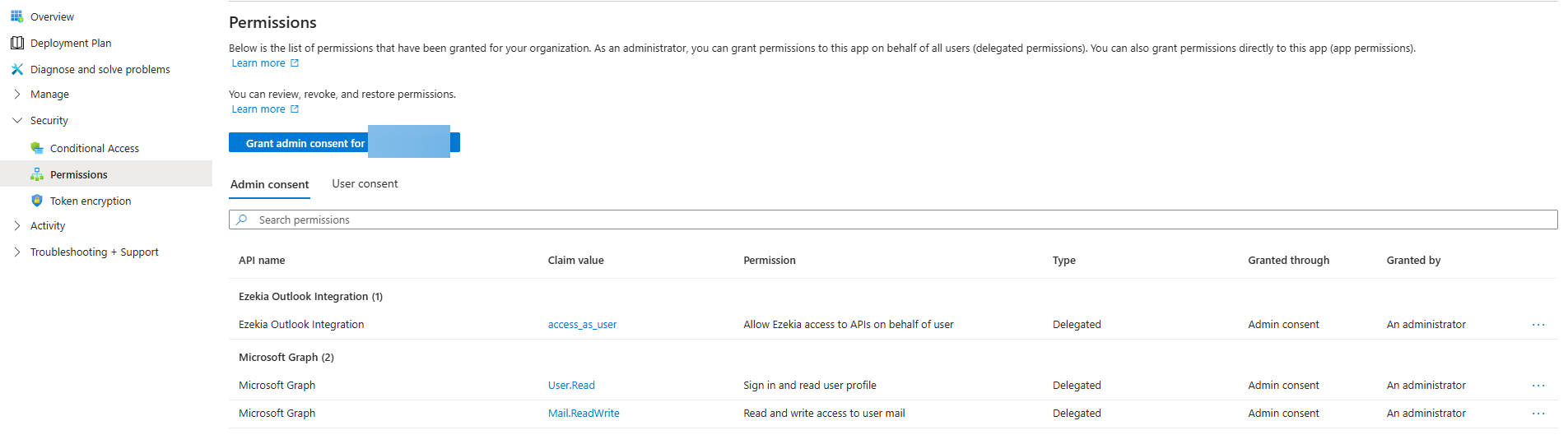
Ask your Outlook/Exchange administrator to login to Microsoft Azure, navigate to the Enterprise Applications section and find our application "Ezekia Outlook Integration". Within the app, there should be a permissions section where they can grant admin consent to the permissions our app uses.
The claims we use for the Outlook add-in are as follows:
access_as_user
Mail.Read
User.Read
The access_as_user scope is the new one which relates to the yellow permissions messages. Please grant access to this. The others should already be consented to if your firm uses the Outlook add-in or MS Integration.
When completed, it should look something like this:
Non-Azure Users
- Sign in to the MS Entra admin centre
- Browse to Entra ID > Enterprise apps > All applications.
Note: The Mail.Read permission is delegated access for the authenticated user who approved the integration, not unrestricted tenant-wide mailbox access.