Ezekia provides three standard permission groups (Admin, Researcher and External), which many firms will find adequate. However, as an admin, you might want to grant additional functions to a user who would otherwise not have access to them, without making the user an admin. To do this, you can create a new permissions group quite easily.
There is a tutorial video that goes through this process in more detail here:
We will use an example in which the admin wants to grant 'Spreadsheet Import' to a person who is in the Researcher permissions group. To achieve this, the admin would copy the person’s current permission group (‘Researcher’), then add Spreadsheet Import to that new permission & save it. They would then add the person to the new group. When the user signs off and then signs back in, they will have the Spreadsheet import option.
This is the process:
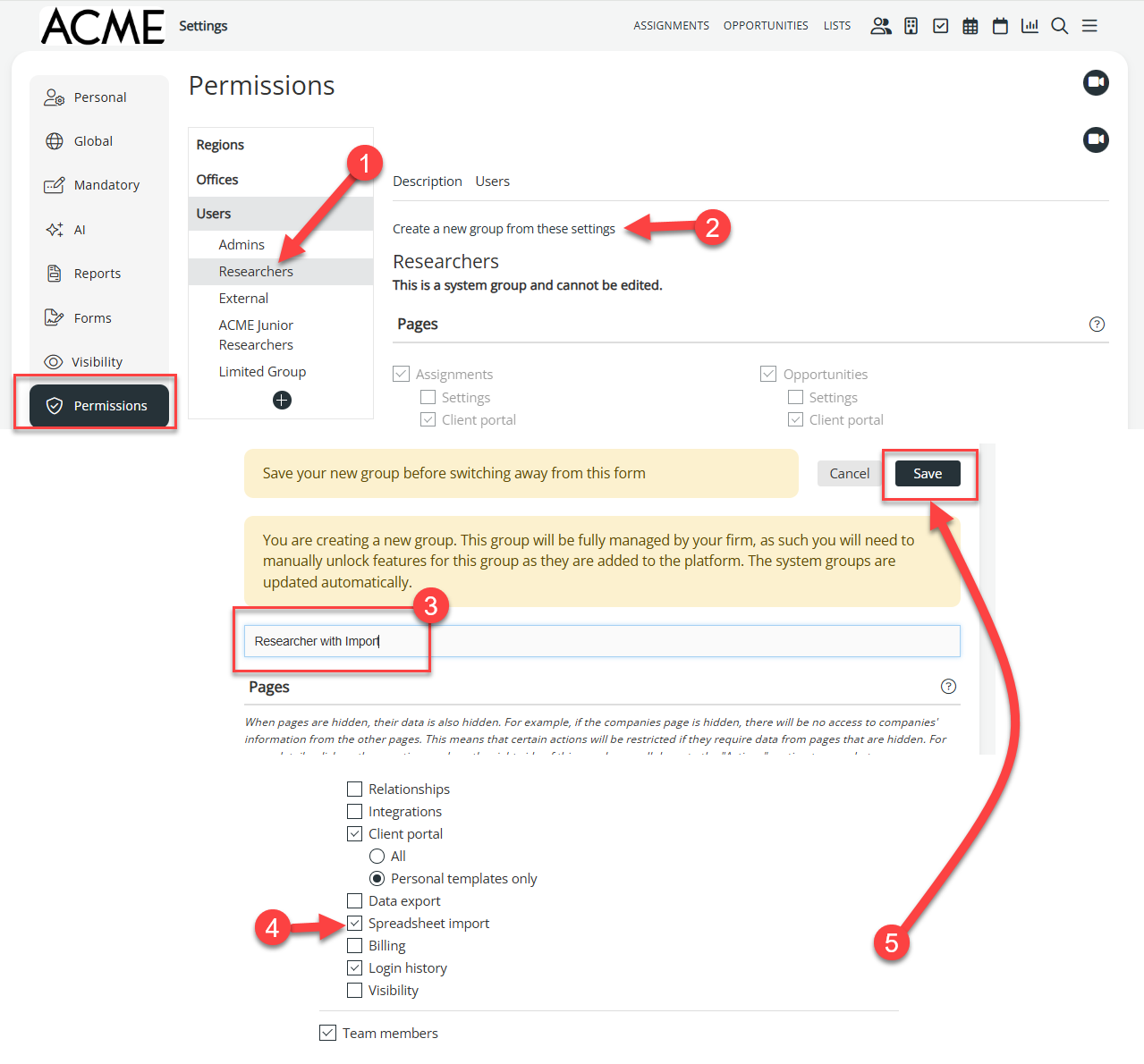
Use the 3-line icon to navigate to settings, then permissions. Select the old permission group (1) and make a copy (2). You need to give the copy a name (3). Tick the Spreadsheet import box (4) and save it (5).
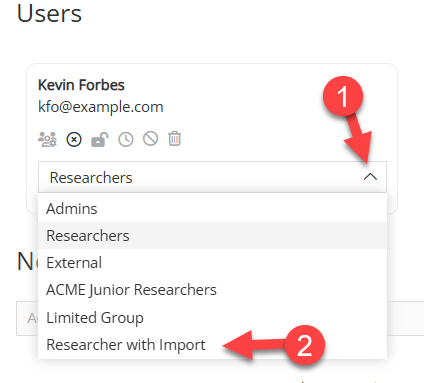
When the new permission is saved, you can add it to a person on the list of users: