
This article explains how ChatGPT Enterprise or Business Owners or Admins can connect ChatGPT to Ezekia using Model Context Protocol (MCP) and make the Ezekia MCP connector app available for end users within their organisation. Once enabled, ChatGPT users can securely search, create, and update data in Ezekia using natural language - directly from within ChatGPT.
Important: ChatGPT vs Ezekia’s Built-in AI
Ezekia supports two completely separate AI integrations:
Ezekia Built-in AI/Sidekick
- Uses the OpenAI API
- Requires an OpenAI API key and credits
- Configured inside Ezekia
- Powers features such as Sidekick and summarisation within the platform
ChatGPT via MCP
- Uses ChatGPT as an external AI tool
- Does not use an OpenAI API key
- Does not consume OpenAI API credits
- Does not use an Ezekia API token
- Is configured inside ChatGPT (not Ezekia)
Connecting ChatGPT via MCP is independent of enabling Sidekick and other AI features inside Ezekia.
Who This Guide Is For
This setup must be completed by a ChatGPT Enterprise or Business plan Owner, or by an Admin where permitted by their ChatGPT role permissions.
- Owners can publish connector apps for organisational use
- Admins can create connector apps with availability depending on permissions
- End users cannot enable MCP themselves
- ChatGPT users log in (if required) and approve access to Ezekia via an OAuth pop-up authorisation prompt (see How Authentication Works below).
All connector apps are visible only within your organisation.
How Authentication Works
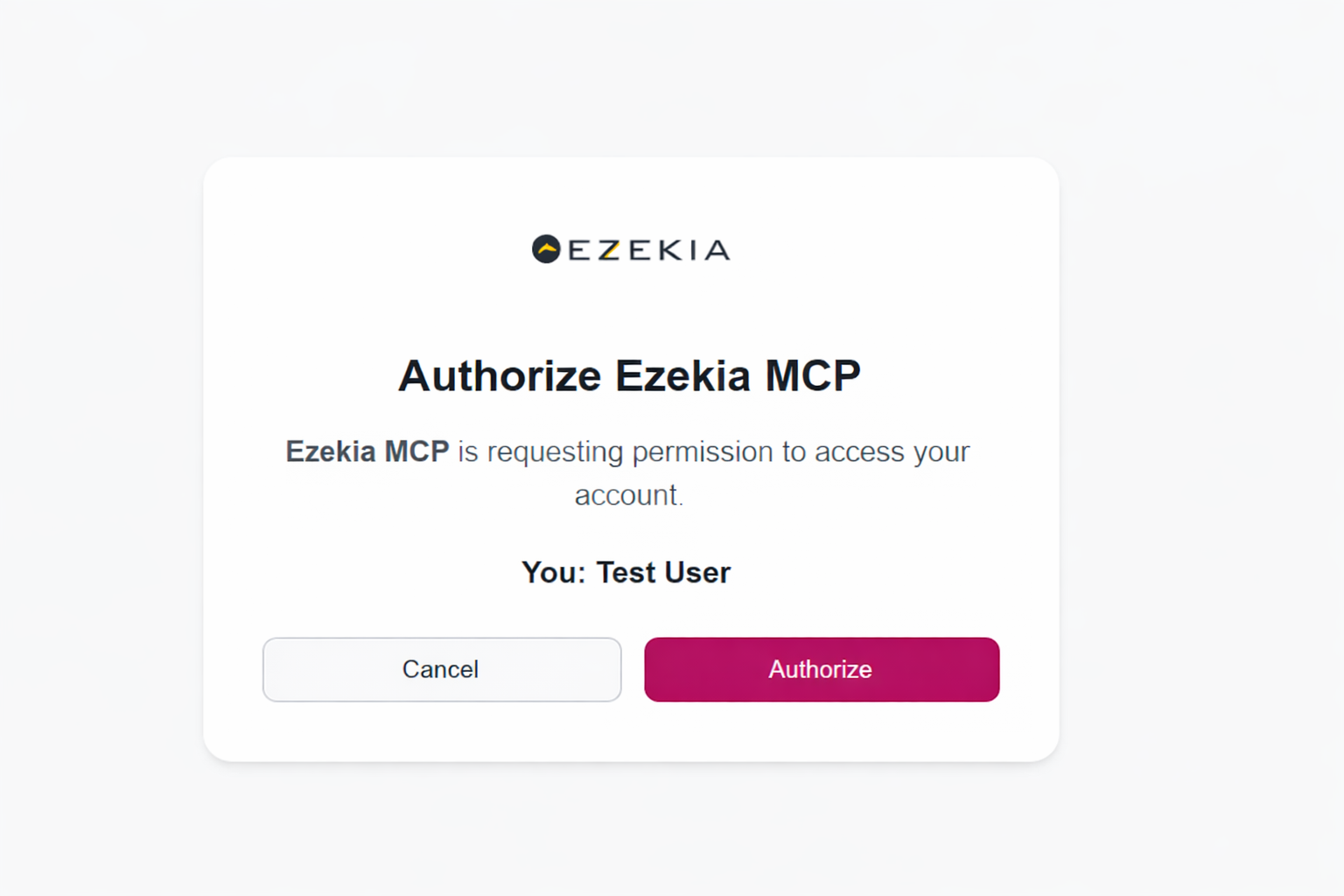
- ChatGPT uses an OAuth authorisation flow to allow users to approve access to Ezekia the first time they use the Ezekia MCP connector app. When prompted, users may be asked to log in to Ezekia (if they are not already signed in) and then approve access. Once authorised, ChatGPT can interact with Ezekia on the user’s behalf, respecting their existing Ezekia permissions. End users do not generate, manage, or enter API tokens when using the Ezekia MCP app in ChatGPT.
Prerequisites
To use ChatGPT with Ezekia via MCP, you will need:
- A ChatGPT Enterprise or Business subscription
- Owner or Admin access in ChatGPT
- Access to Ezekia MCP by way of an Ezekia admin account
You do not need an OpenAI API key or OpenAI credits to use the MCP.
Enable the Ezekia MCP Connector app in ChatGPT
This step must be completed by a ChatGPT Owner or Admin with an Enterprise or Business subscription. Terminology sometimes differs, but in ChatGPT:
- Open Settings
- Go to Apps / Connectors
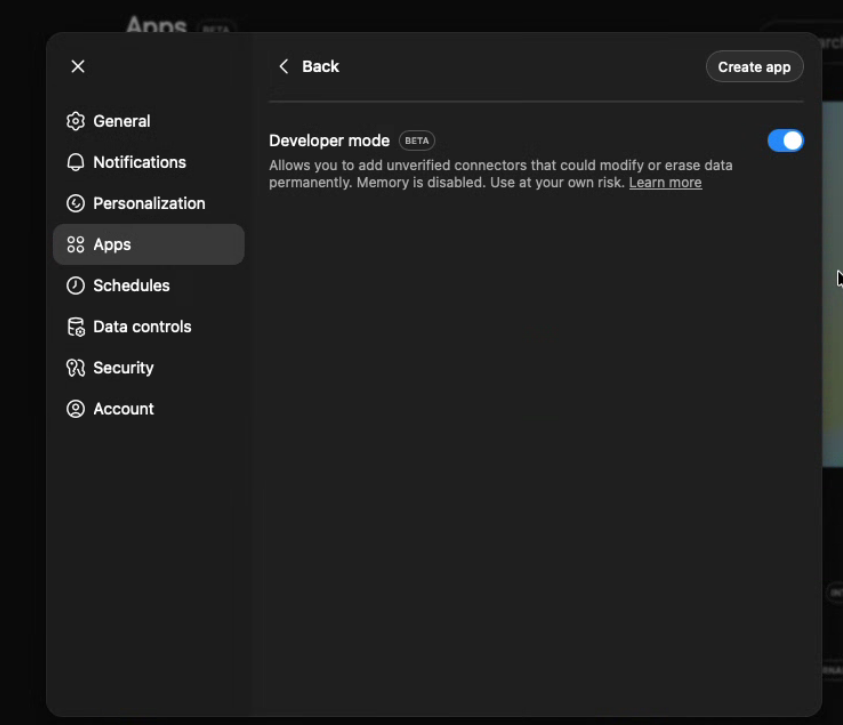
- Go to Advanced Settings
- Enable Developer mode:
- Click Add / Create and if asked choose Custom MCP Connector / App
- Complete the fields:
- Name: e.g. Ezekia MCP
- Description: e.g. Ezekia Helper
- MCP endpoint: https://mcp.ezekia.com
- Authentication: Select OAuth (leave the OAuth Client ID and Client Secret fields empty)
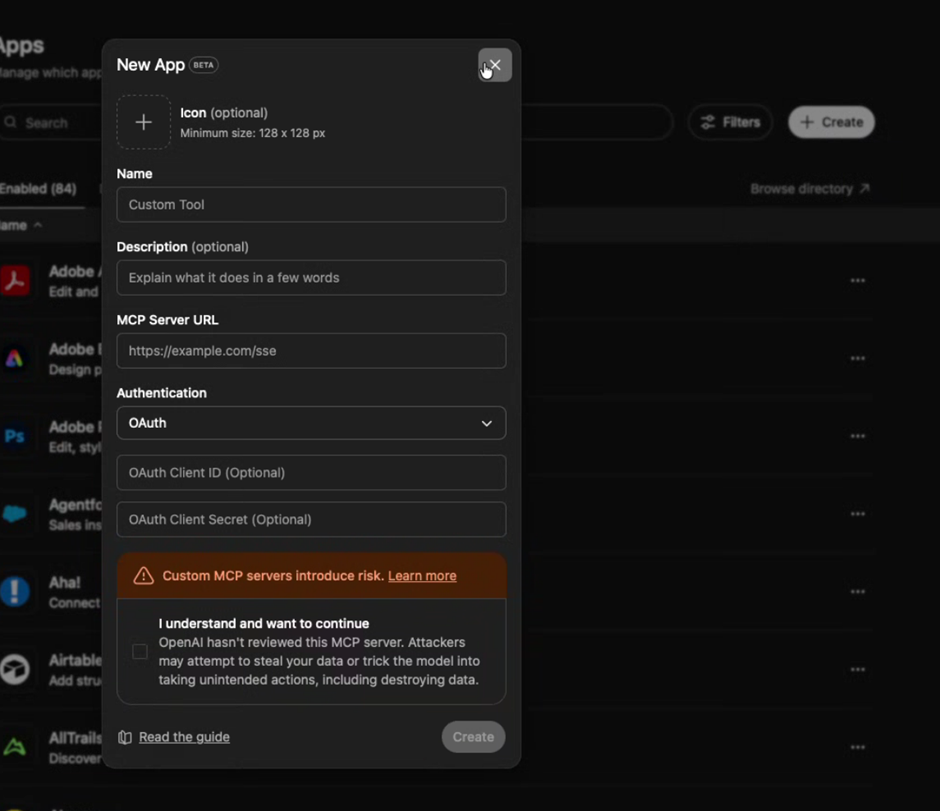
- Click Create
- When prompted, authorise access to Ezekia via the on-screen authorisation window (you may need to login to Ezekia or if already logged in just press authorise:
- If you are an owner, on the app screen, select Publish next to your app connector, review and tick any risks, and then Publish once again:
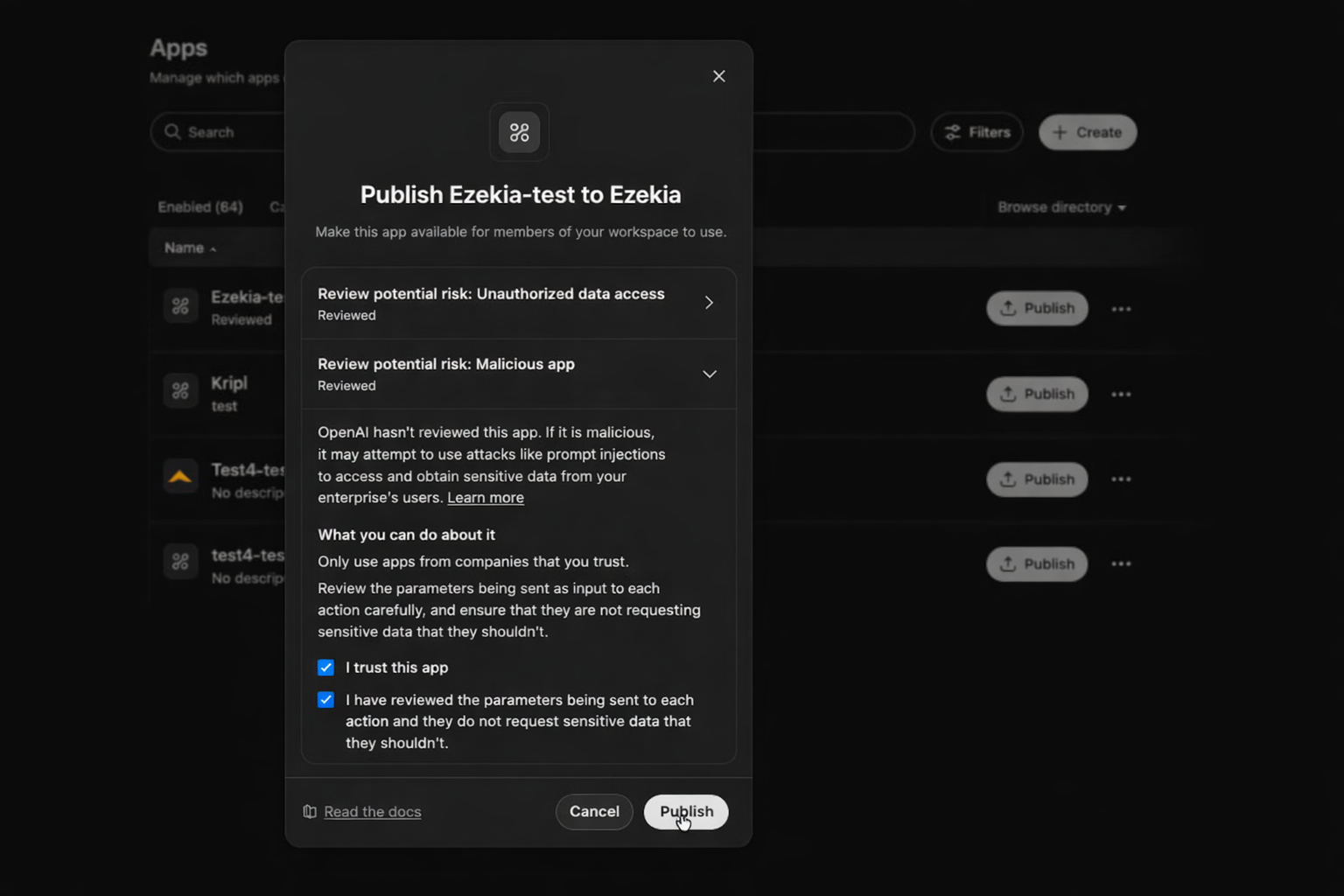 If you are an admin without Publishing permissions, find your app Apps / Connectors and then select the 3 dots > URL > Share URL, and share this with your colleagues: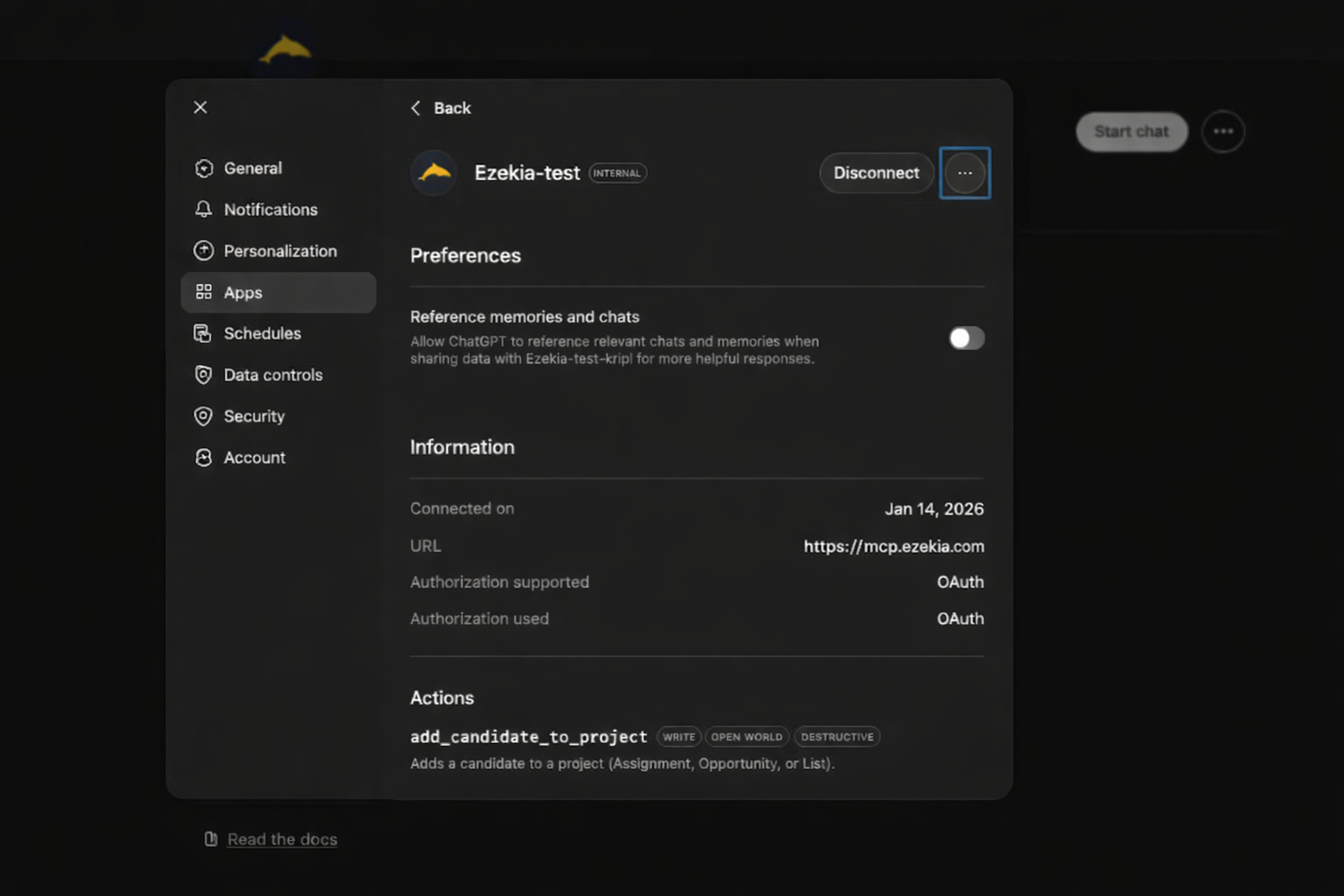
Alternatively ask your ChatGPT account owner to publish it.
Using Ezekia in ChatGPT
After setup, end users can:
- Open a ChatGPT conversation
- Click + → More
- Select the Ezekia MCP connector app
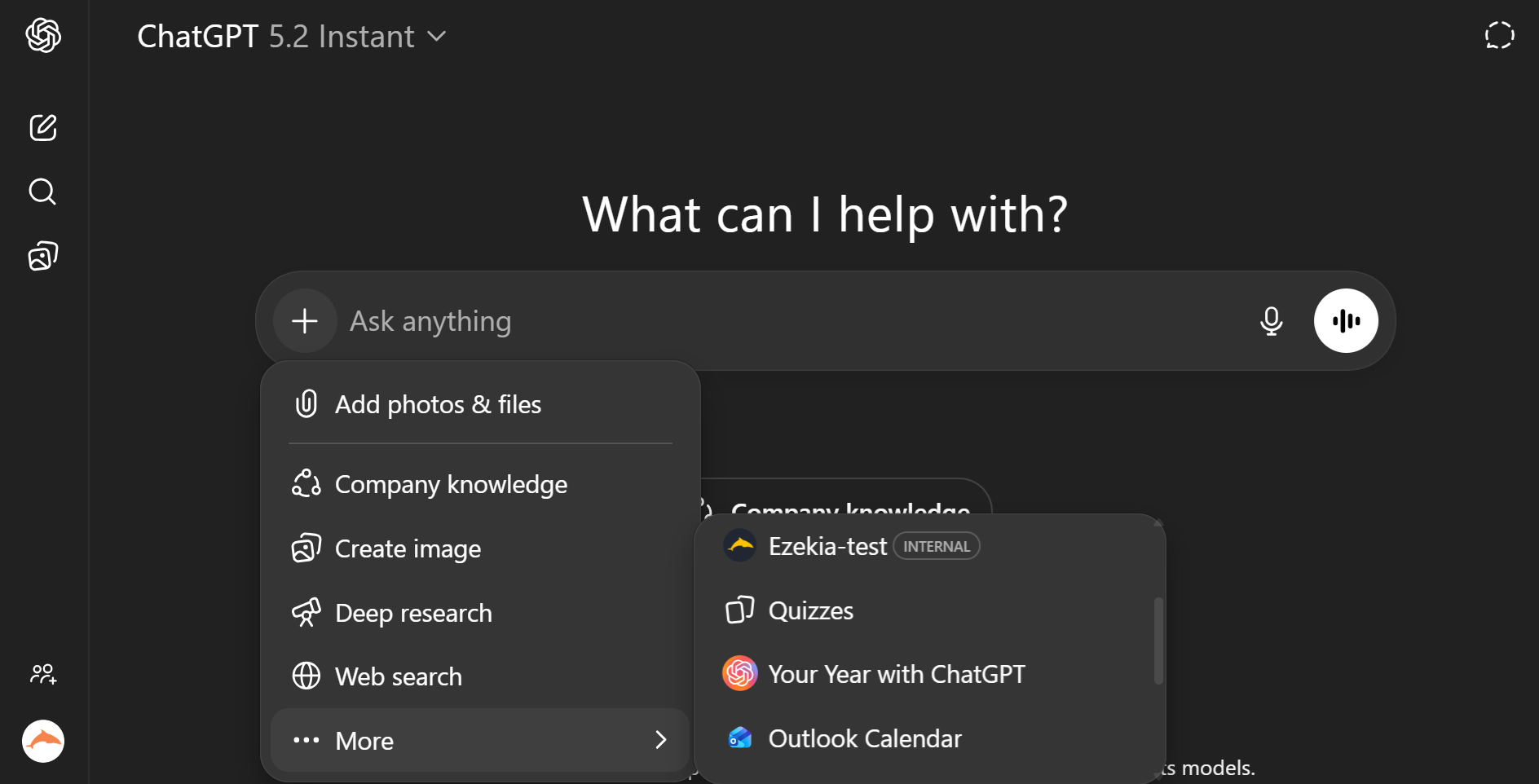
- Approve access (first use only)
- Interact with Ezekia using natural language
Examples:
- “Search for senior product managers in Berlin”
- “Create a new assignment for this company”
- “Add a follow-up task for next week”
- “Update the project status to completed”
- “Add a note summarising today’s call”
All actions are executed in Ezekia and respect existing permissions.
Security & Permissions
- All actions respect Ezekia’s permission model
- No Ezekia credentials are shared with ChatGPT for MCP usage
Getting Help
Ezekia Support can help with:
- MCP availability and setup
- API token generation and management
- Verifying ChatGPT connectivity to Ezekia
We’re unable to provide support for:
- ChatGPT prompt design
- Custom workflows or automation logic
- General ChatGPT configuration
For Ezekia-specific questions, contact support@ezekia.com.